Join the NEW course edition!
Learn Gaussian Splatting WORKFLOWS
Join a tailored, structured course on Gaussian Splatting – called What The Splat!
It’s an 8-week detailed course with a focus on post-production techniques that help build workflows with the Gaussian Splatting format.
The new course edition is open now.
YOUR INSTRUCTOR
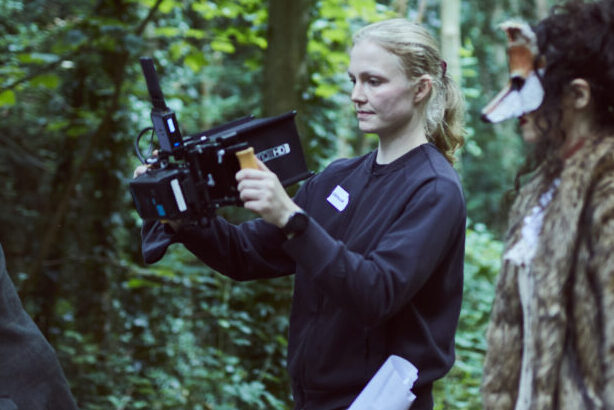
Hi, I’m Adrianna Polcyn!
I am a Visual Artist with more than 10 years of experience in 3D graphics and 3D scanning. I have spent the last 2 years learning about Gaussian Splatting and I have to say that I love this technology! The more I explore it, the more convinced I get that it will be a new way of visual expression in a lot of fields. Its ability to reconstruct real-life scenes with incredible fidelity – including thin, transparent, and glossy surfaces – opens up amazing possibilities for artists to create next-level 3D photographs and videos. I want to demystify Gaussian Splatting and make it more accessible for everyone, and teach what I know.
Course Trailer
BEGINNER
Begin your Journey with Gaussian Splatting
Module 1
Introduction to Gaussian Splatting
- What Is Gaussian Splatting
- Attributes of a Gaussian Splat
- Use Cases
- What is the process to create a Gaussian Splatting Scene
- Benefits of Gaussian Splatting
- Gaussian Splatting File Formats and Size Examples
Module 2
Introduction to Capturing
- Capturing Introduction
- Main Capturing Approaches
- Camera and Lighting Setup
- Fiducial Markers
- Scene Survey
- Camera Motions and Coverage
- Common Things to Avoid
- Available Capture Solutions
Module 3
Gaussian Splatting Scene Solving
- Image Pre-processing
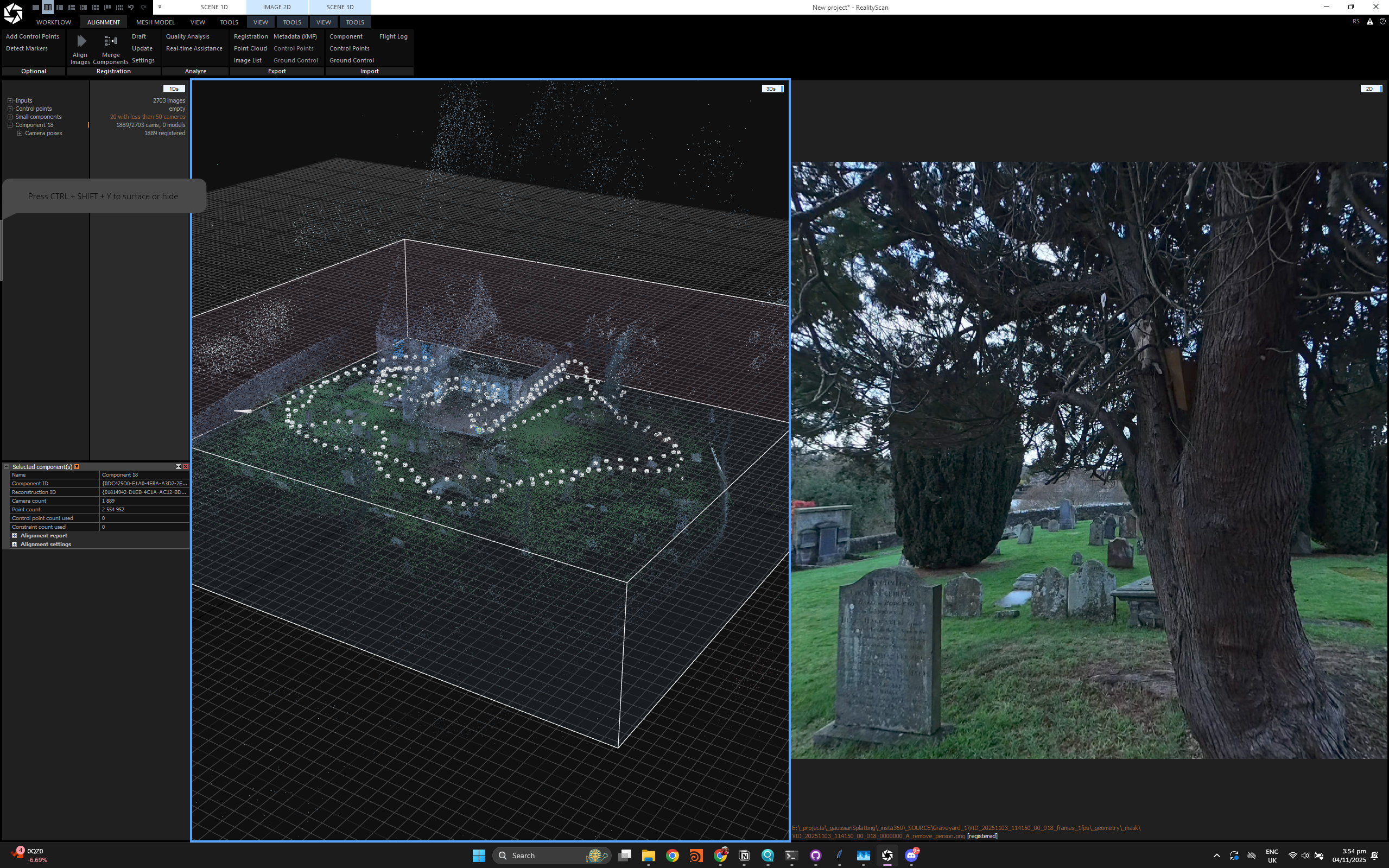
- Camera Pose Estimation in Reality Scan
- Gaussian Splatting Training in Lichtfeld Studio
Quick self-assessment exercises
Module 4
Gaussian Splatting Editing in Houdini + GSOPs: PART 1
- Houdini Crash Course
- Houdini + GSOPs Introduction
- Asset Import and First Steps
- Exploring Gaussian Splats Attributes
- Alignment and Scale
- Simple Cleanup Techniques
- Feature Analysis Splat Infill Introduction
- Meshing GS model Gaussian Splat Model
- Infill and Meshing – Additional Tricks Meshing for Cleanup
Module 5
Gaussian Splatting Editing in Houdini + GSOPs: PART 2
- Measuring GS model
- Deriving Diffuse Texture from GS Model
- Gaussian Splatting Relighting
- Colour Correction – Introduction
- Working with an Environment Scan
- Exporting Gaussian Splatting Models from Houdini
- Compositing a Scene in Houdini Viewport
Module 6
Gaussian Splatting Techniques in Other Software
- Editing in Supersplat
- Editing in Lichtfeld Studio
- Synthetic Data: 3D Model to 3DGS Model with Mesh2Splat
Module 7
Rendering and Viewing
- Rendering and Viewing – Introduction
- Rendering with GSOPs from Houdini Viewport
- Rendering in Houdini with GSOPs + Octane Plugin
- Rendering in Unreal Engine with Volinga Plugin
- Rendering in Supersplat (Web-based)
Module 8
Useful Resources
- Useful Websites Online Viewers and Platforms
- Cool Tutorials from Other Artists
- Other Compatible Software
ADVANCED
Deep-dive Into advanced workflows
Module 1
Gaussian Splatting Editing in Houdini + GSOPs: PART 1
- Houdini Crash Course
- Houdini + GSOPs Introduction
- Asset Import and First Steps
- Exploring Gaussian Splats Attributes
- Alignment and Scale
- Simple Cleanup Techniques
- Feature Analysis Splat Infill Introduction
- Meshing Gaussian Splat Model
- Infill and Meshing – Additional Tricks Meshing for Cleanup
Module 2
Gaussian Splatting Editing in Houdini + GSOPs: PART 2
- Measuring GS model
- Deriving Diffuse Texture from GS Model
- Gaussian Splatting Relighting
- Colour Correction – Introduction
- Working with an Environment Scan
- Exporting Gaussian Splatting Models from Houdini
- Compositing a Scene in Houdini Viewport
Module 3
Advanced Techniques
- Gaussian Splatting Colour Correction – Advanced Techniques
- Exploration of Shadowbaking with Directional Lights
- Gaussian Splatting Synthetic Data – Creating a Cloud and Fire
- Gaussian Splatting Synthetic Data – Converting 3D model to GS with Mesh2Splat
MODULE 4
Rendering and Viewing (NON REAL-TIME)
- Rendering and Viewing – Introduction Rendering with GSOPs from Houdini Viewport Rendering in Houdini with GSOPs + Octane Plugin Rendering in Houdini 21 with Native Karma XPU Renderer (Beta)
MODULE 5
Rendering and Viewing (Real-Time)
- Rendering in Unreal Engine with Volinga Plugin
- Rendering in Supersplat and Playcanvas (Web-based)
MODULE 6
4DGS – Introduction and Techniques
- 4D Gaussian Splatting – Introduction
- 4DGS Playback
- Animating 3DGS Model: Mesh-Based Deformation Techniques
- Animating 3DGS Model: Point Animation Techniques, Mocap, Simulation Techniques
- 4DGS from Monocular Video with Apple ML-Sharp and Automated Tool by Andrii Shramko
- 4DGS .PLY Sequence Export
- 4DGS Cleanup Techniques
MODULE 7
Optimisation and Compression Techniques
- Exploration of Optimisation and Compression Techniques – Whole Process
- Creating an example LOD System in Houdini for Playcanvas Web Streaming
MODULE 8
Building Tools and Pipelines with Houdini PDG (TOPs)
- Introduction to Houdini TOPs (PDG) – Building Pipelines in Houdini
- Building a Simple Gaussian Splatting Automated Pipeline with TOPs – 4DGS Sequence Batch Processing
- Building a Gaussian Splatting Automated Pipeline with TOPs – Colour Correction and LODs export for multiple splats
MODULE 9
Additional tutorials
- Working with a Large Dataset
- 360 Video to Gaussian Splatting
- Introduction to Gaussian Splatting in Touch Designer
8 weeks
NEEDED TIME FOR Course Completion ON ONE OF THE LEVELS
40+ lessons
in PRE-recorded modules
MORE THAN 20 HRS OF VIDEO MATERIAL
Discord
dedicated channel sharing tips and techniques
VFX/web/AR/VR/VP
Create assets ready for different use cases
What’s included

Step-by-Step Video Lessons
Join pre-recorded lessons and live sessions. and practice exercises. Use practice exercises to work through the learning material.

Example Scene Files
Download example scene files and learn with the video tutorials

Course Progress Tracking
You can mark your completed lessons and add notes in the learning portal.
Join Today!
The course enrolment is open now!
£499
BEGINNER LEVEL
Access to all material
Downloadable resources
Online support
£499
ADVANCED LEVEL
Access to all material
Downloadable resources
Online support
£799
Beginner + ADVANCED LEVEL
Get access to both levels
Frequently Asked Questions
Do I need any prior experience?
For the beginner level, basic experience with CGI can be helpful.
For the advanced course, some experience with Gaussian Splatting (either capturing, training etc.) will be needed.
How long do I have access to the courses?
1-year access to video and written material on the learning portal.
What hardware do I need?
A PC with a good GPU (preferably with CUDA), a mobile phone or a photo/video camera for capturing the Gaussian Splatting data